


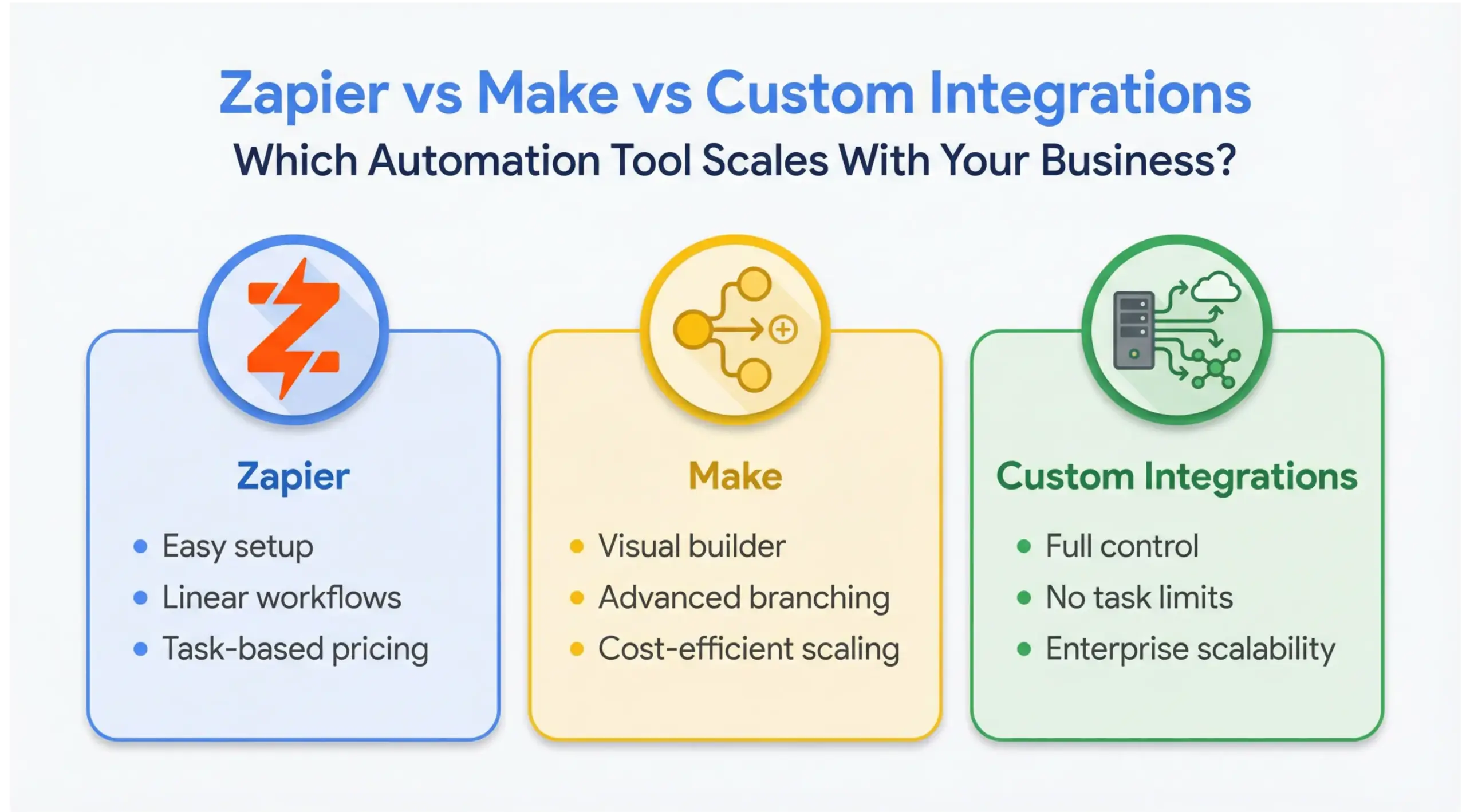
If you’re choosing between Zapier vs Make vs custom integrations, the right decision depends on your workflow complexity, budget, scalability goals, and long-term automation strategy. Zapier is best for simple, fast no-code automation. Make offers more visual flexibility and cost efficiency for mid-size workflows. Custom integrations deliver unlimited scalability, performance, and control – ideal for growing or enterprise businesses.
This guide breaks down the real differences, cost implications, scalability thresholds, and when to upgrade – so you can make a strategic decision instead of a reactive one.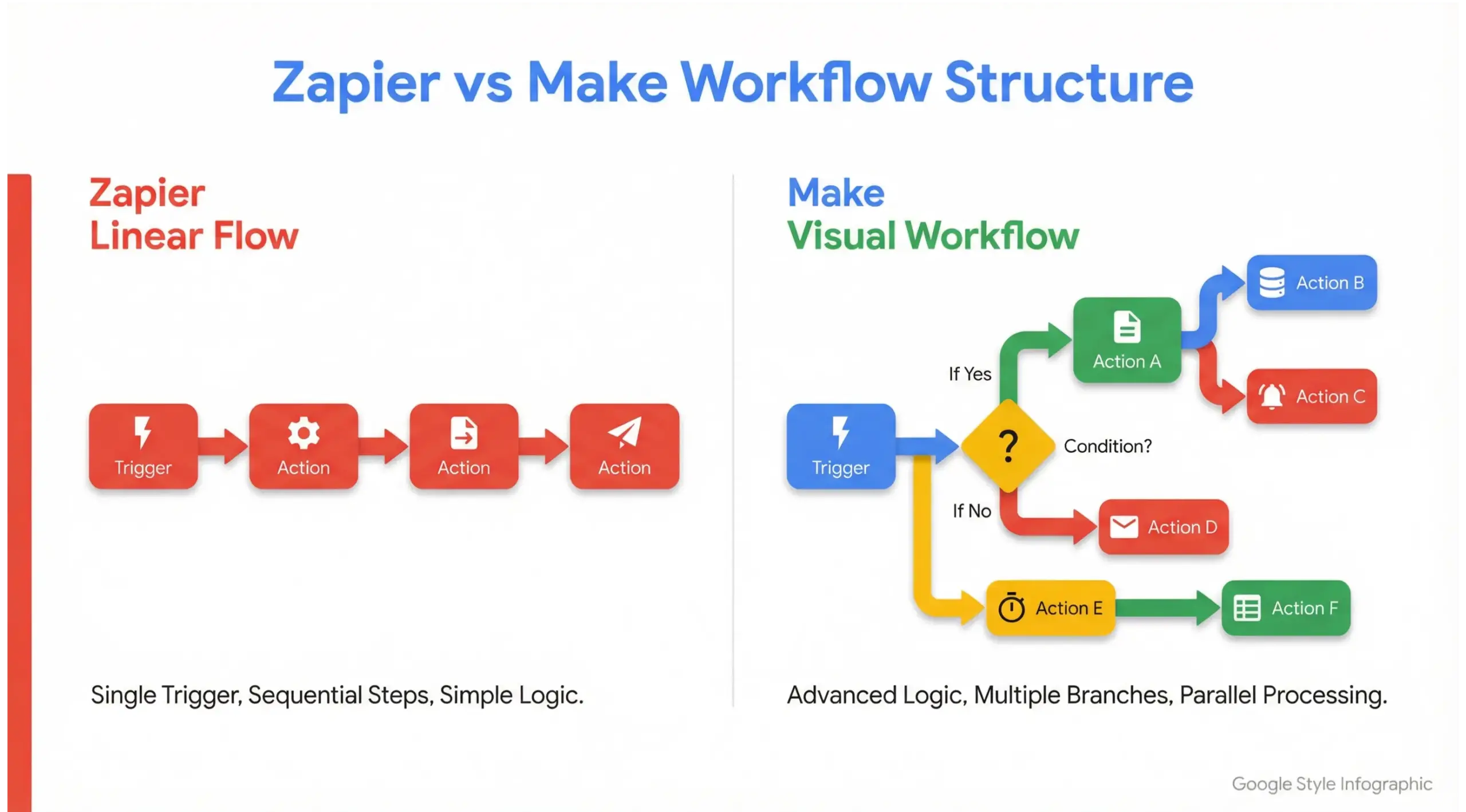
What Is the Difference Between Zapier vs Make?
The primary difference between Zapier vs Make lies in workflow complexity, pricing structure, customization depth, and scalability. Zapier focuses on simplicity and ease of use, while Make (formerly Integromat) provides advanced logic, visual mapping, and more control at lower cost per operation.
In simple terms:
“Zapier is faster to start. Make is stronger for complexity.”
What Is Zapier Best For?
Zapier is best for businesses that need quick, simple automation without technical overhead. It connects over 6,000 apps and allows users to build linear workflows called “Zaps.”
Examples of ideal Zapier use cases:
- Send form submission – Add to CRM
- New Stripe payment – Create invoice
- New lead – Send Slack notification
- Add email subscriber – Add to Google Sheet
Why businesses choose Zapier:
- Minimal learning curve
- Fast setup
- Clean interface
- Massive app library
- Reliable infrastructure
However, Zapier becomes expensive at scale due to task-based pricing.
“Zapier is ideal for startups and small teams testing automation.”
What Is Make Best For?
Make (formerly Integromat) is best for businesses that need efficient workflows, conditional branching, advanced data mapping, and cost efficiency.
Unlike Zapier’s linear “if this then that” structure, Make allows:
- Visual flow diagrams
- Multi-layer branching
- Complex data parsing
- Scenario-based automation
- Parallel operations
Example:
- If high-value lead – Assign to sales rep – Notify Slack – Add to CRM – Send personalized email
- If subscription cancels – Trigger refund logic – Update accounting – Remove from campaign – Notify support
Make pricing is more cost-efficient for high-volume workflows.
“Make is stronger for growing businesses with complex automation needs.”
What Are Custom Integrations?
Custom integrations are API-based automation systems built specifically for your business. Instead of relying on third-party no-code tools, custom integrations connect systems directly via backend development.
They offer:
- Full API control
- Direct database syncing
- Zero task limits
- Maximum performance
- Custom workflow logic
- Enterprise-grade security
Custom integrations are typically built using:
- REST APIs
- Middleware architecture
- Server-side scripting
- Cloud infrastructure
Unlike Zapier or Make, custom integration does not depend on subscription tiers or platform limitations.
Custom integrations are built for scalability, performance, and long-term system architecture.
Zapier vs Make vs Custom Integrations: Scalability Comparison
Scalability is where the biggest differences appear.
As automation volume increases:
- Zapier cost rises quickly
- Make scales better but still platform-limited
- Custom integrations remove automation limits
When businesses cross 10,000+ automation events per month, subscription automation tools often become restrictive.
Cost Comparison: Zapier vs Make vs Custom
Zapier Pricing
- Free tier (limited tasks)
- Paid tiers based on task volume
- Costs increase quickly with growth
Make Pricing
- Lower cost per operation
- Better scaling efficiency
- Still subscription-based
Custom Integration Cost
- Higher upfront investment
- No monthly task cost
- Long-term ROI advantage
For high-growth companies, subscription automation often becomes more expensive than custom development after 12-24 months.
When Should You Use Zapier Instead of Make?
Choose Zapier when:
- You need automation today
- Workflows are simple
- No advanced branching required
- Team is non-technical
- Low-volume operations
Zapier prioritizes speed over complexity.
When Should You Use Make Instead of Zapier?
Choose Make when:
- Workflows involve conditions
- You need visual mapping
- Volume is moderate
- Budget sensitivity exists
- Advanced data handling required
Make balances flexibility and affordability.
When Should You Move to Custom Integrations?
Move to custom integrations when:
- Automation exceeds 10,000+ monthly events
- Performance latency affects operations
- You require full API control
- Compliance or security standards increase
- Subscription costs exceed ROI
At this stage, no-code tools become operational bottlenecks.
What Are the Limitations of Zapier and Make?
Zapier Limitations
- Expensive at scale
- Limited deep customization
- Task caps
- Platform dependency
Make Limitations
- Learning curve
- Still third-party dependent
- Limited enterprise-level compliance
- Performance tied to subscription tier
Neither platform gives full backend ownership.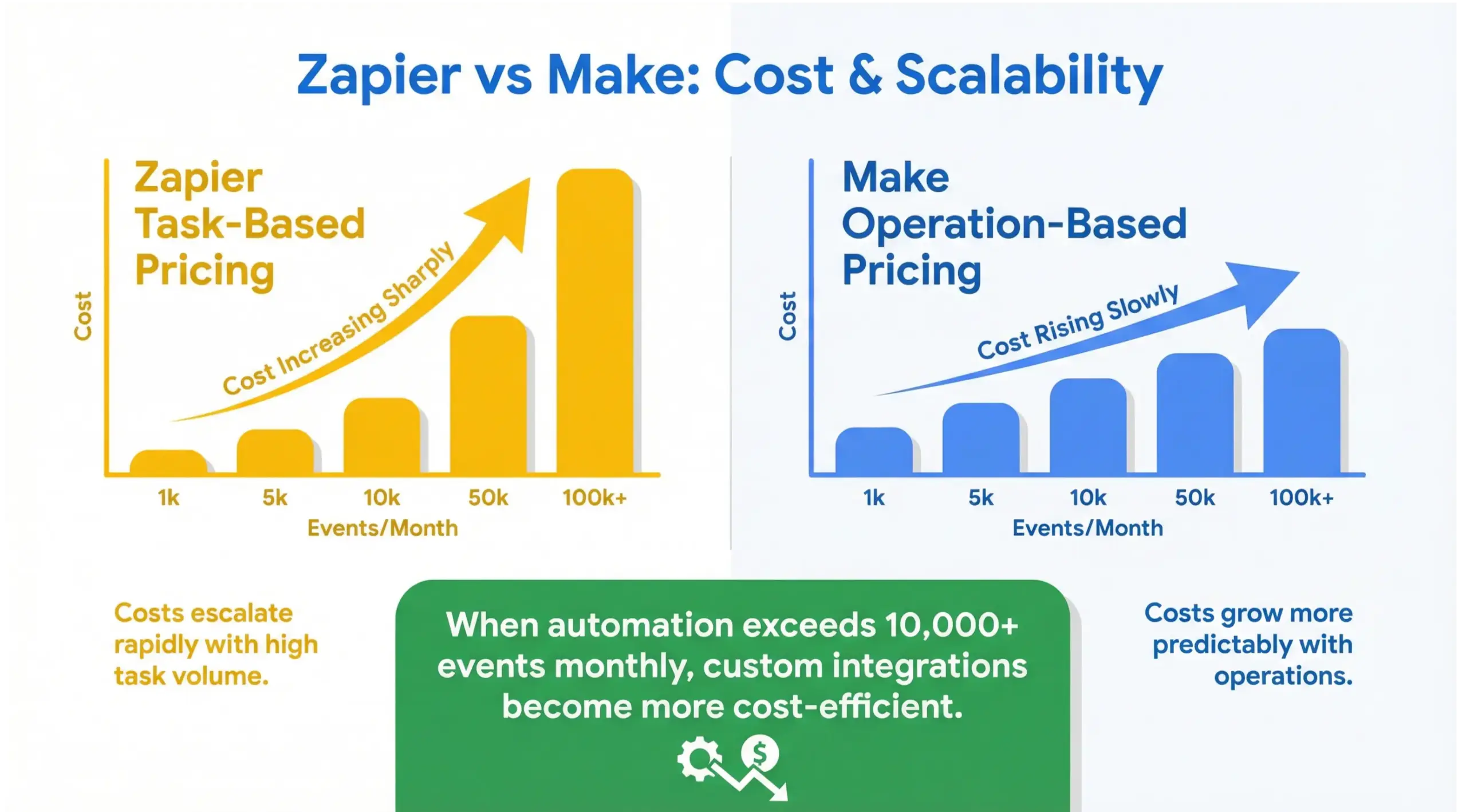
Which Automation Tool Is Best for Complex Workflows?
For highly complex workflows:
- Make is better than Zapier
- Custom integrations outperform both
If workflows include:
- Nested logic
- Data transformation
- Custom API endpoints
- Multi-system synchronization
Custom integrations win in flexibility and performance.
Security Considerations: Zapier vs Make vs Custom
Security is a major decision factor.
Zapier & Make
- Secure platforms
- Encrypted transfers
- Dependent on third-party infrastructure
Custom Integration
- Full security control
- Dedicated hosting
- Compliance customization
- Enterprise-grade encryption
Highly regulated industries often require custom integration.
Real-World Decision Framework
Ask yourself:
- Is automation temporary or long-term?
- Will volume increase significantly?
- Is cost predictable?
- Are workflows becoming complex?
- Do you need full ownership?
If automation is foundational to revenue operations, custom architecture should be part of your roadmap.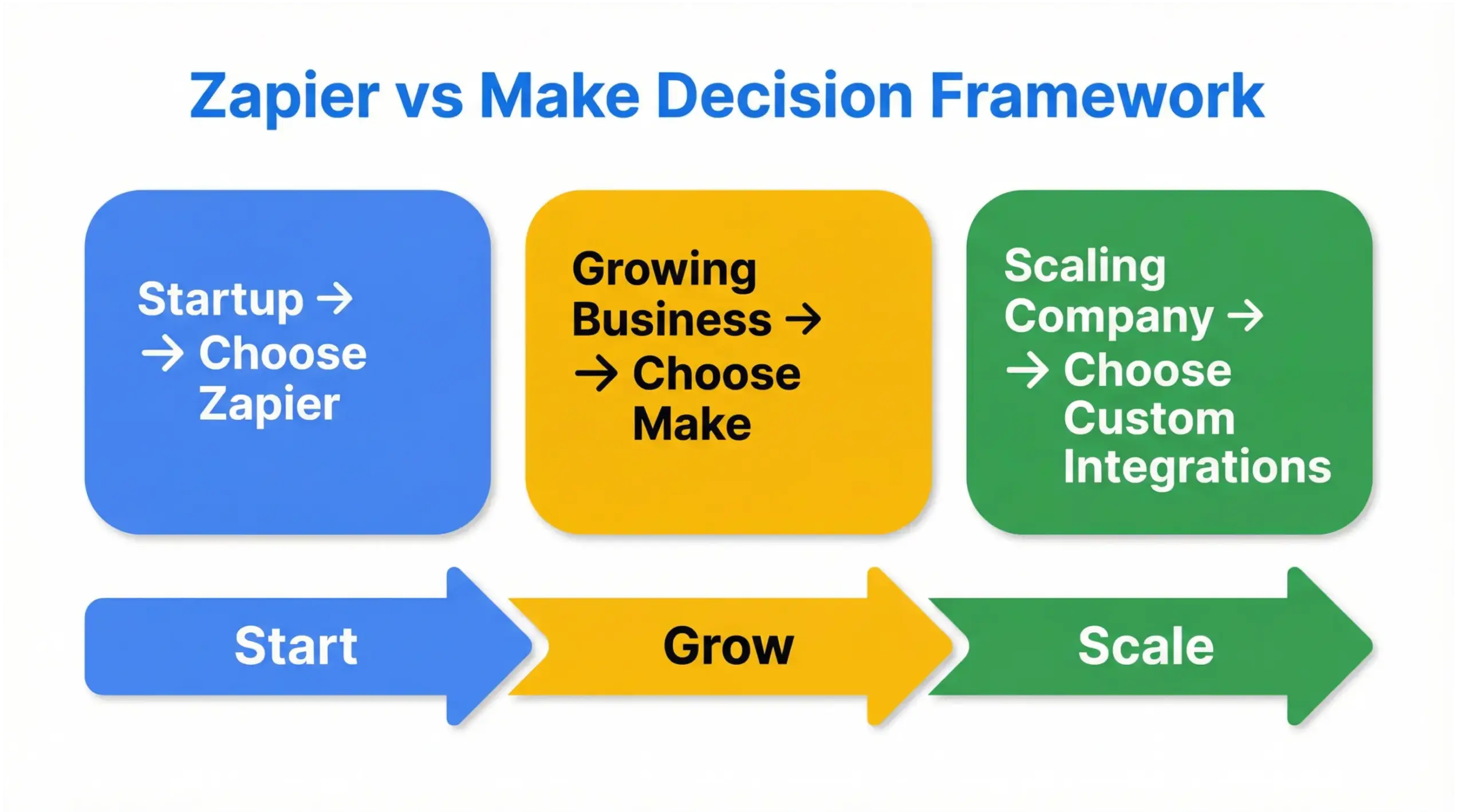
10 Frequently Asked Questions (FAQ)
1. What is the main difference between Zapier vs Make?
Zapier focuses on simplicity and ease of use, while Make provides advanced visual workflows and better cost efficiency for complex automation.
2. Is Zapier better than Make?
Zapier is better for simple automation and beginners. Make is better for advanced workflows and cost scaling.
3. Can Make replace Zapier?
Yes. Make can handle most Zapier workflows and offers more advanced logic capabilities.
4. When should I choose custom integrations?
When automation becomes critical infrastructure, high-volume, or requires full API control and scalability.
5. Are custom integrations expensive?
They require higher upfront investment but often save money long-term by eliminating subscription costs.
6. Is Make cheaper than Zapier?
Yes. Make generally offers lower cost per operation compared to Zapier’s task-based pricing.
7. Which tool is best for startups?
Zapier is best for startups needing fast setup with minimal complexity.
8. What happens if automation volume grows rapidly?
Subscription tools become expensive. Custom integrations become more cost-efficient.
9. Are no-code tools secure?
Yes, but security depends on third-party infrastructure. Custom integration offers more control.
10. Should I migrate from Zapier to Custom APIs?
If automation supports revenue, scaling, and core operations, migration to custom integration improves long-term flexibility.
Final Verdict: Zapier vs Make vs Custom Integrations
There is no universal “best” tool.
- Zapier wins for speed and simplicity
- Make wins for flexibility and cost scaling
- Custom integrations win for scalability, performance, and ownership
The right choice depends on where your business is – and where it is going.
Automation should support growth, not limit it.
If your workflows are becoming complex or expensive, it may be time to think beyond no-code and toward scalable system architecture.


