


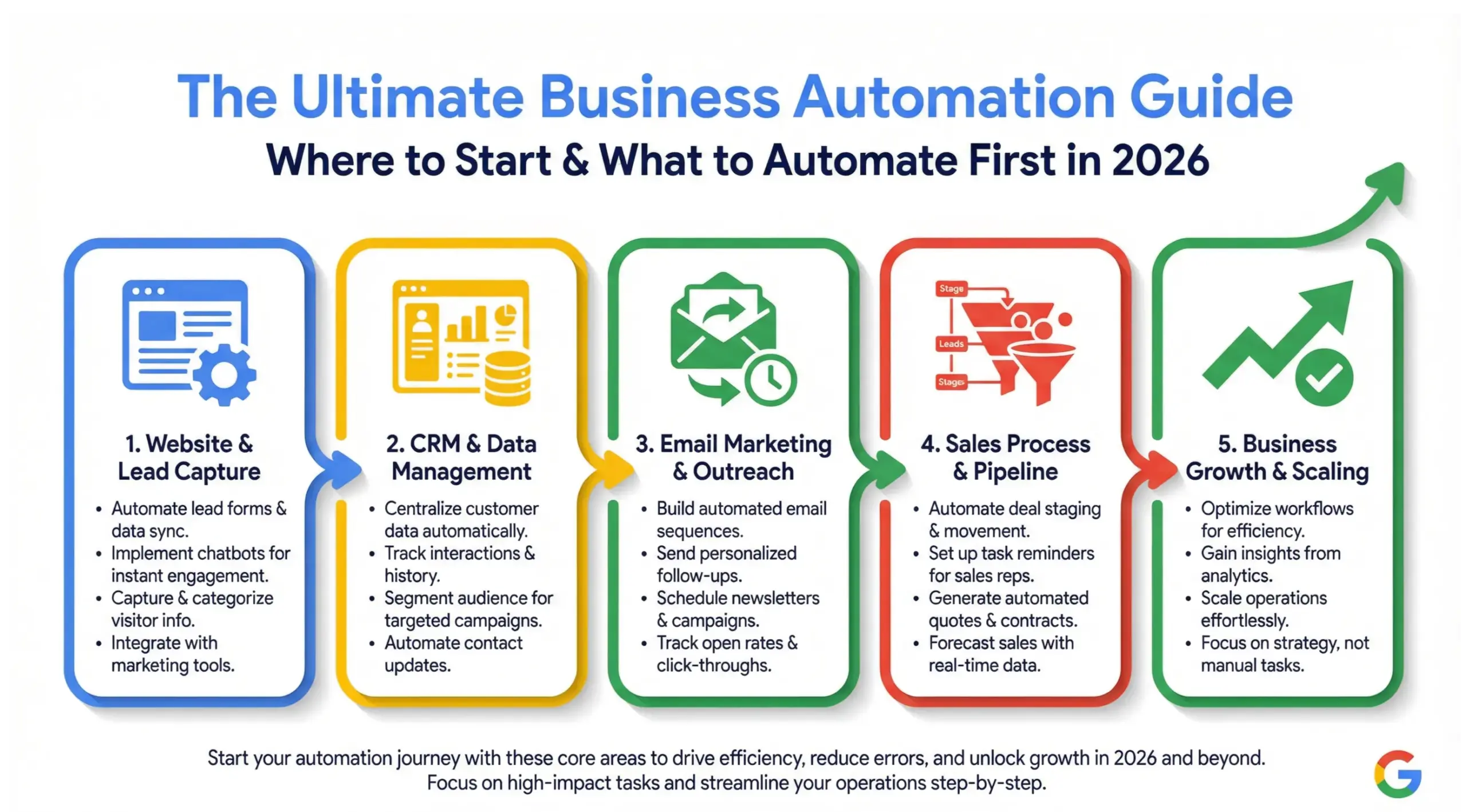
A business automation guide is a structured roadmap that helps companies identify repetitive tasks, implement automation tools, integrate systems, and build scalable workflows that increase efficiency and revenue. The best place to start automating is high-impact, revenue-generating activities – because those directly impact cash flow and growth.
In 2026, business automation is no longer optional. In the infrastructure that allows small and mid-sized businesses to compete with larger organizations without dramatically increasing payroll or operational complexity.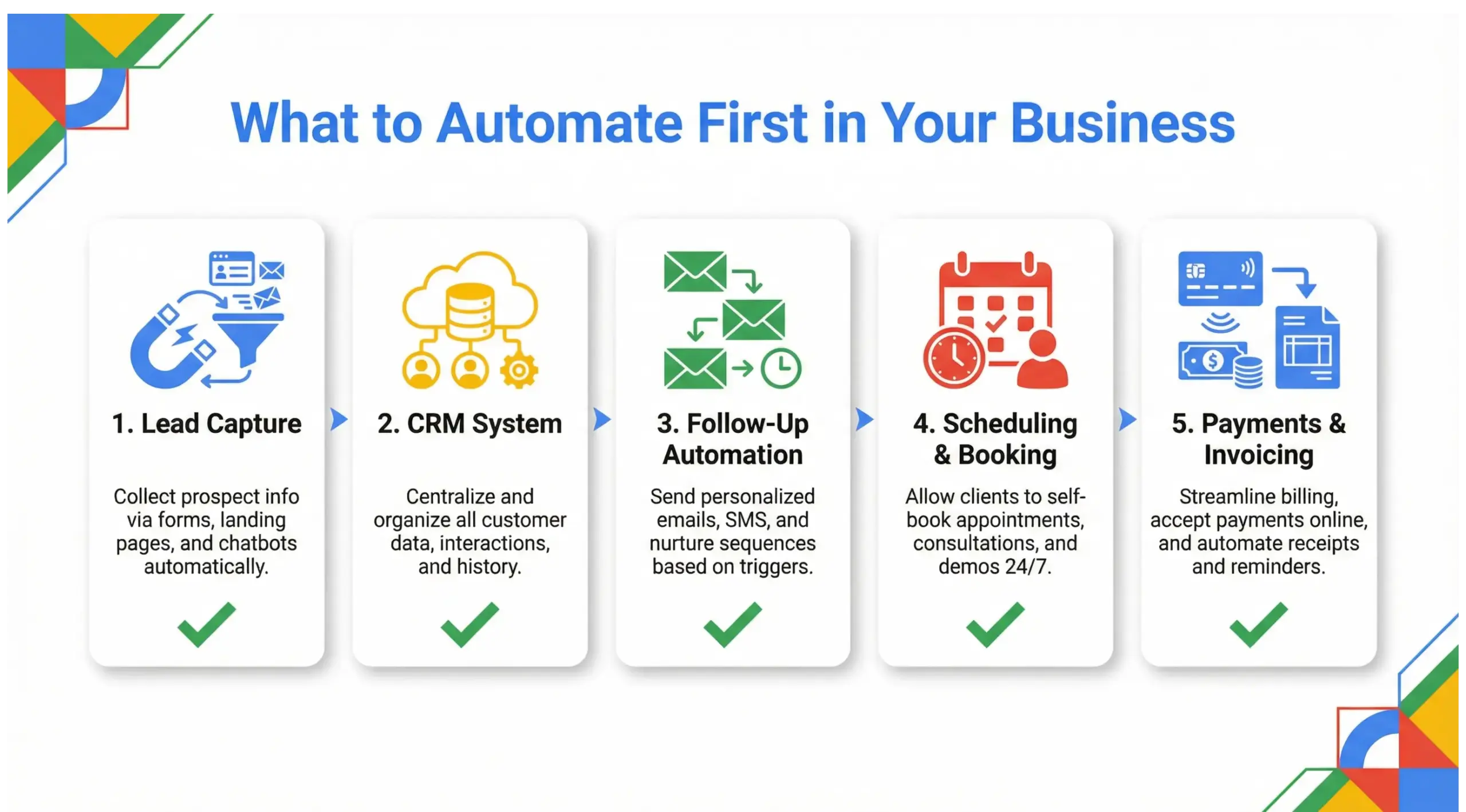
What Is Business Automation?
Business automation is the use of software, systems, and integrations to automatically perform repetitive operational, marketing, sales, and administrative tasks without manual intervention.
Instead of relying on spreadsheets, email reminders, or human memory, automation connects tools so data flows between them seamlessly.
Examples include:
- Automatically sending follow-up emails after a form submission
- Assigning sales leads inside a CRM
- Sending invoices when a deal closes
- Triggering appointment reminders
- Generating reports automatically
Quote-ready insight:
“Business automation transforms manual effort into measurable systems.”
Automation is not about replacing people – it is about freeing people from repetitive work so they can focus on strategy and growth.
Why Business Automation Is Critical in 2026
Business automation is critical in 2026 because customer expectations, digital competition, and operational complexity require speed, consistency, and scalability that manual systems cannot provide.
Consumers now expect:
- Instant responses
- Real-time communication
- Seamless digital experiences
- Personalized communication
If your systems depend on manual follow-up, delays happen – and delays reduce conversions.
“If your growth depends on memory, it will eventually break. If it depends on systems, it will scale.”
What Should You Automate First in Your Business?
The first processes you should automate are revenue-generating activities – lead capture, follow-up communication, appointment scheduling, and invoicing.
Start where money flows.
Priority Order for Beginners
- Lead Capture Automation
- CRM Automation
- Email & SMS Follow-Ups
- Booking & Scheduling
- Payments & Invoicing
- Client Onboarding
Why this order?
Because automation should immediately improve:
- Response speed
- Conversion rates
- Customer experience
- Cash flow
Avoid starting with complex backend automation before stabilizing revenue systems.
How Does Business Automation Work?
Business automation works by using triggers, conditions, and actions to move data between systems automatically.
Every automation has three parts:
- Trigger – Something happens (form submission)
- Condition – If criteria are met
- Action – System executes task (send email, update CRM)
Example Workflow:
- Customer fills out website form
- CRM creates contact
- Email welcome sequence starts
- Sales rep assigned automatically
- Follow-up reminder scheduled
Automation is a series of logical steps designed to eliminate friction.
Types of Business Automation
Business automation falls into four primary categories: marketing, sales, operations, and financial automation.
1. Marketing Automation
- Email campaigns
- Social scheduling
- Lead nurturing
- Retargeting ads
2. Sales Automation
- CRM deal tracking
- Proposal generation
- Follow-up reminders
- Pipeline automation
3. Operational Automation
- Task assignment
- Project management workflows
- Client onboarding
- Internal notifications
4. Financial Automation
- Automated invoicing
- Recurring billing
- Payment confirmations
- Expense tracking
A complete automation strategy connects all four categories into one ecosystem.
Best Tools for Business Automation (2026)
The best business automation tools depend on company size, industry, and complexity – but CRM platforms and integration tools remain the foundation.
The key is not the tools – it is the system design.
“Automation tools are engines. Strategy is the steering wheel.”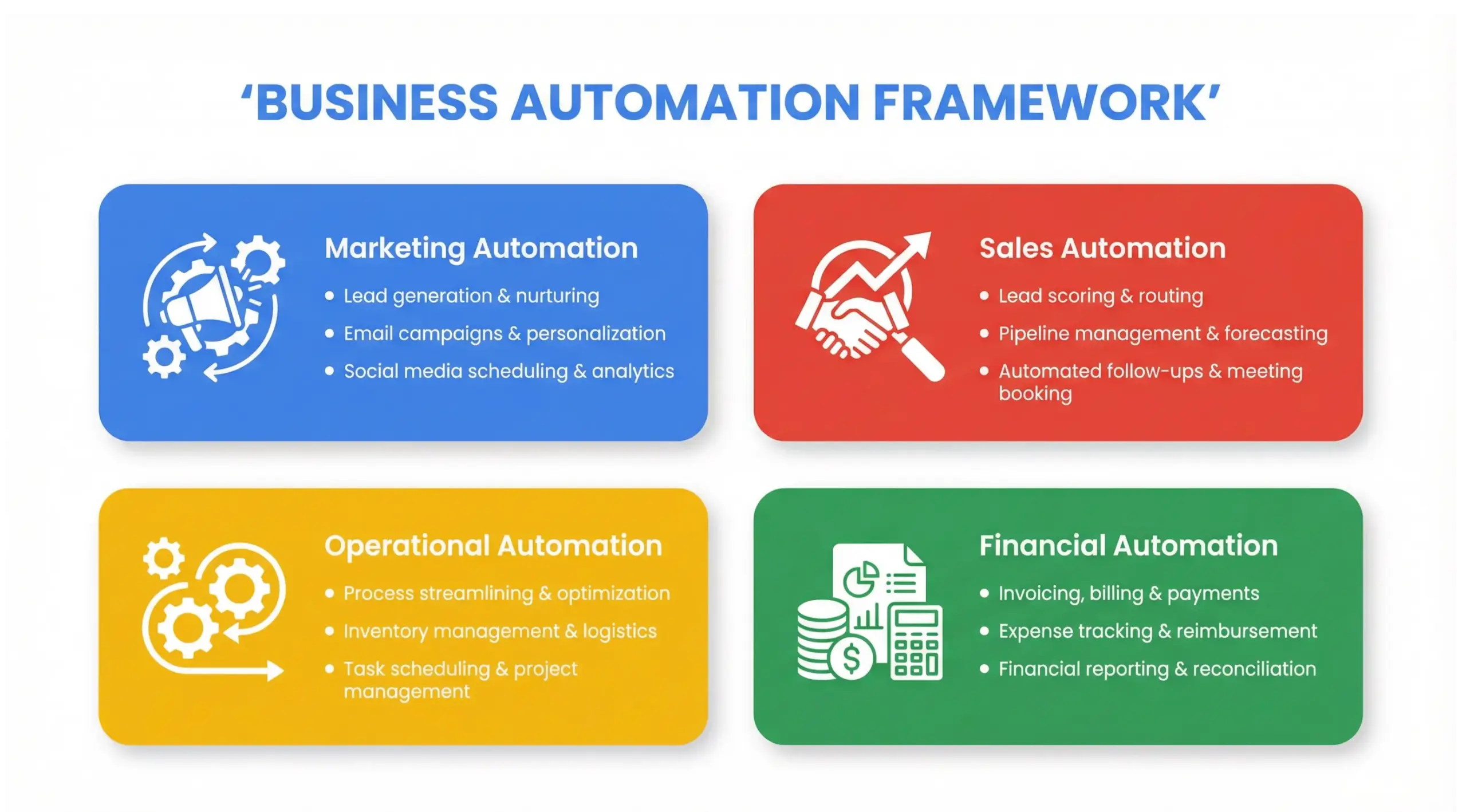
Step-by-Step Business Automation Implementation Framework
To implement automation successfully, you must map processes before choosing software.
Step 1: Audit Your Current Processes
List every repetitive task.
Step 2: Identify Bottlenecks
Where do delays happen?
Step 3: Define Clear Outcomes
What should happen automatically?
Step 4: Select Core CRM
Centralize data first.
Step 5: Integrate Supporting Tools
Email, scheduling, payments.
Step 6: Build Workflows
Map triggers and actions.
Step 7: Test and Optimize
Measure conversion and efficiency gains.
Automation is architecture – not improvisation.
How Much Does Business Automation Cost?
Business automation costs vary widely – from $500 monthly for basic systems to $10,000+ for advanced integrations and full system builds.
Cost factors:
- Tool subscriptions
- CRM setup
- Custom integrations
- Consultant fees
- Maintenance & optimization
While initial investment exists, automation reduces long-term staffing and operational costs.
Return on investment often appears in:
- Increased conversion rates
- Faster sales cycles
- Reduced manual workload
- Improved retention
Common Business Automation Mistakes
Most automation failures happen because businesses automate before strategizing.
Avoid:
- Automating broken processes
- Using too many disconnected tools
- Skipping testing
- Ignoring reporting
- Overcomplicating workflows
Start simple. Scale gradually.
Can Business Automation Increase Revenue?
Yes. Business automation increases revenue by improving response time, lead conversion, upselling opportunities, and customer retention.
Automation enables:
- Faster follow-ups
- Consistent nurturing
- Cross-selling triggers
- Retention campaigns
- Reactivation sequences
Even small improvements in conversion rates significantly impact revenue over time.
If your close rate increases from 20% to 25%, that is a 25% revenue increase – without increasing staff.
Automation multiplies efficiency.
How Long Does It Take to Automate a Business?
A basic automation system can be implemented within 30 days, while advanced integrated systems may take 60-120 days.
Timeline depends on:
- Process complexity
- Data migration needs
- Team training
- Custom integrations
Implementation is not just technical – it is strategic change management.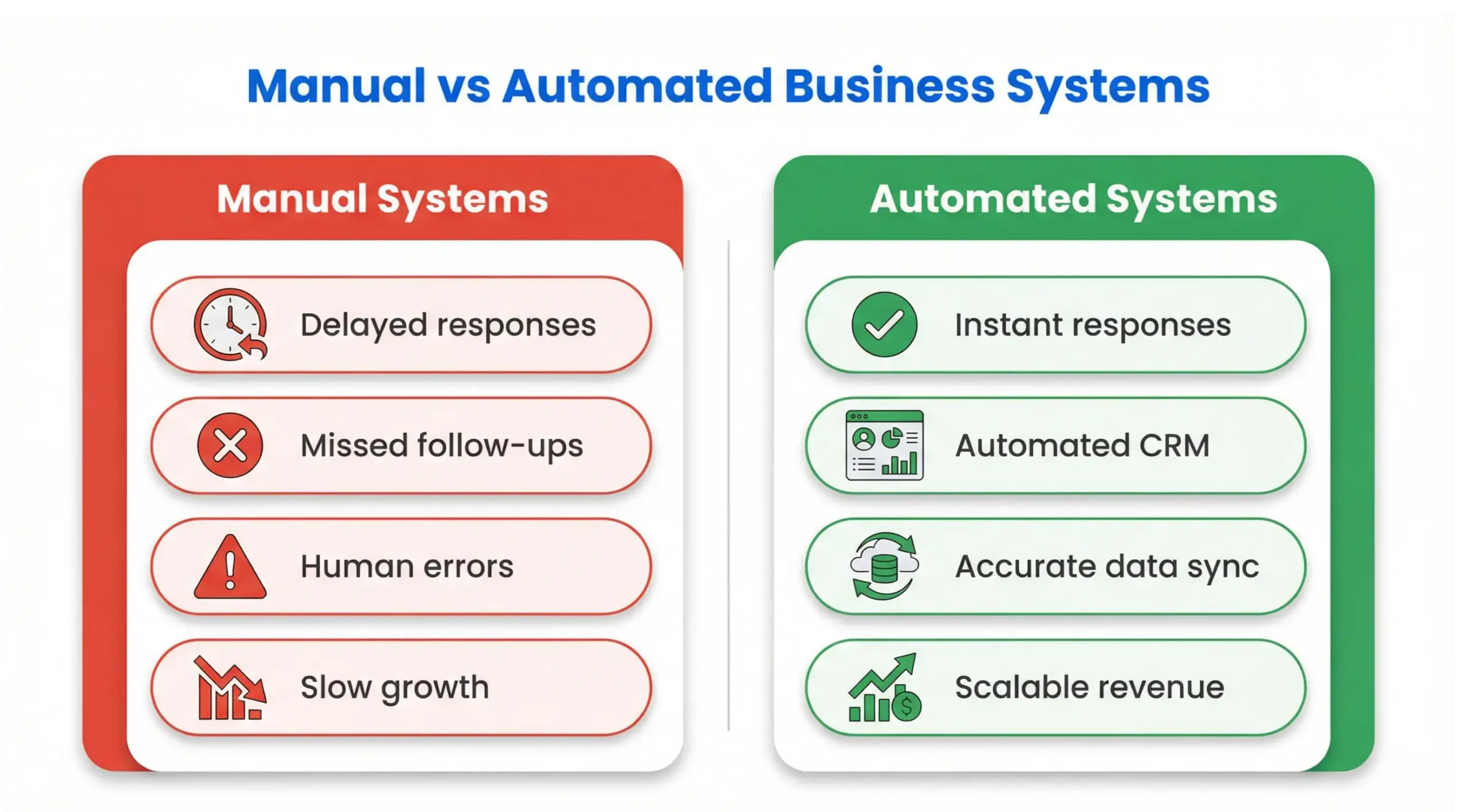
10 Frequently Asked Questions
1. What is business automation in simple terms?
Business automation is using software to automatically complete repetitive tasks without manual effort.
2. What should I automate first?
Start with lead capture, follow-up, and CRM automation because they directly impact revenue.
3. Is business automation worth it for small businesses?
Yes. It saves time, reduces errors, and improves customer experience.
4. How much does business automation cost?
Costs range from a few hundred dollars monthly to several thousand depending on complexity.
5. Do I need technical skills?
No. Many platforms are user-friendly, and consultants can assist with setup.
6. Can automation replace employees?
Automation enhances employee productivity but does not replace strategic roles.
7. What industries benefit most?
Service providers, agencies, e-commerce stores, healthcare, and consultants.
8. How do I measure automation success?
Track conversion rates, response times, revenue growth, and customer retention.
9. What are risks of automation?
Poor implementation can cause system errors or poor customer experiences if not tested properly.
10. Can automation scale with business growth?
Yes. Modular automation systems expand as your business grows.
Conclusion: Build Systems That Scale
Business automation is not about complexity – it is about clarity. It is the intentional design of systems that eliminate friction, increase efficiency, and generate predictable growth.
In 2026, businesses that automate intelligently will:
- Respond faster
- Convert more leads
- Retain more customers
- Operate more efficiently
“Growth is not achieved by working harder – it is achieved by building smarter systems.”


