


Building an AI employee means creating a digital system that performs specific business tasks automatically – such as customer support, lead generation, follow-ups, content creation, or internal operations – without hiring additional staff. In 2026, small businesses can build AI employees using no-code tools, automation platforms, and generative AI systems without technical expertise.
If you’re a founder, service provider, or local business owner, this guide will walk you through everything – strategically and practically.
What Is an AI Employee?
An AI employee is a structured automation system powered by artificial intelligence that performs repeatable business tasks with consistency, speed, and scalability.
Unlike a simple chatbot, an AI employee:
- Has defined responsibilities
- Operates within workflows
- Connects with tools (CRM, email, calendar, databases)
- Produces measurable output
- Improves over time
Think of it as a digital team member with a clear job description.
“An AI employee is not a tool – it’s a role powered by automation.”
Why Should You Build an AI Employee in 2026?
Businesses that build AI employees gain leverage, reduce operational costs, and scale faster without increasing payroll complexity.
In today’s environment:
- Labor costs are rising
- Response time expectations are instant
- Digital visibility determines survival
- Founders are overwhelmed with repetitive tasks
An AI employee solves this by handling structured tasks 24/7.
Business Impact Comparison
| Traditional Hire | AI Employee |
|---|---|
| Salary + benefits | Monthly software cost |
| Training required | Prompt & workflow setup |
| Limited hours | 24/7 availability |
| Human inconsistency | Systematic consistency |
| Scaling requires more hiring | Scaling requires automation expansion |
“The companies that win in 2026 are not the ones with bigger teams – they’re the ones with smarter systems.”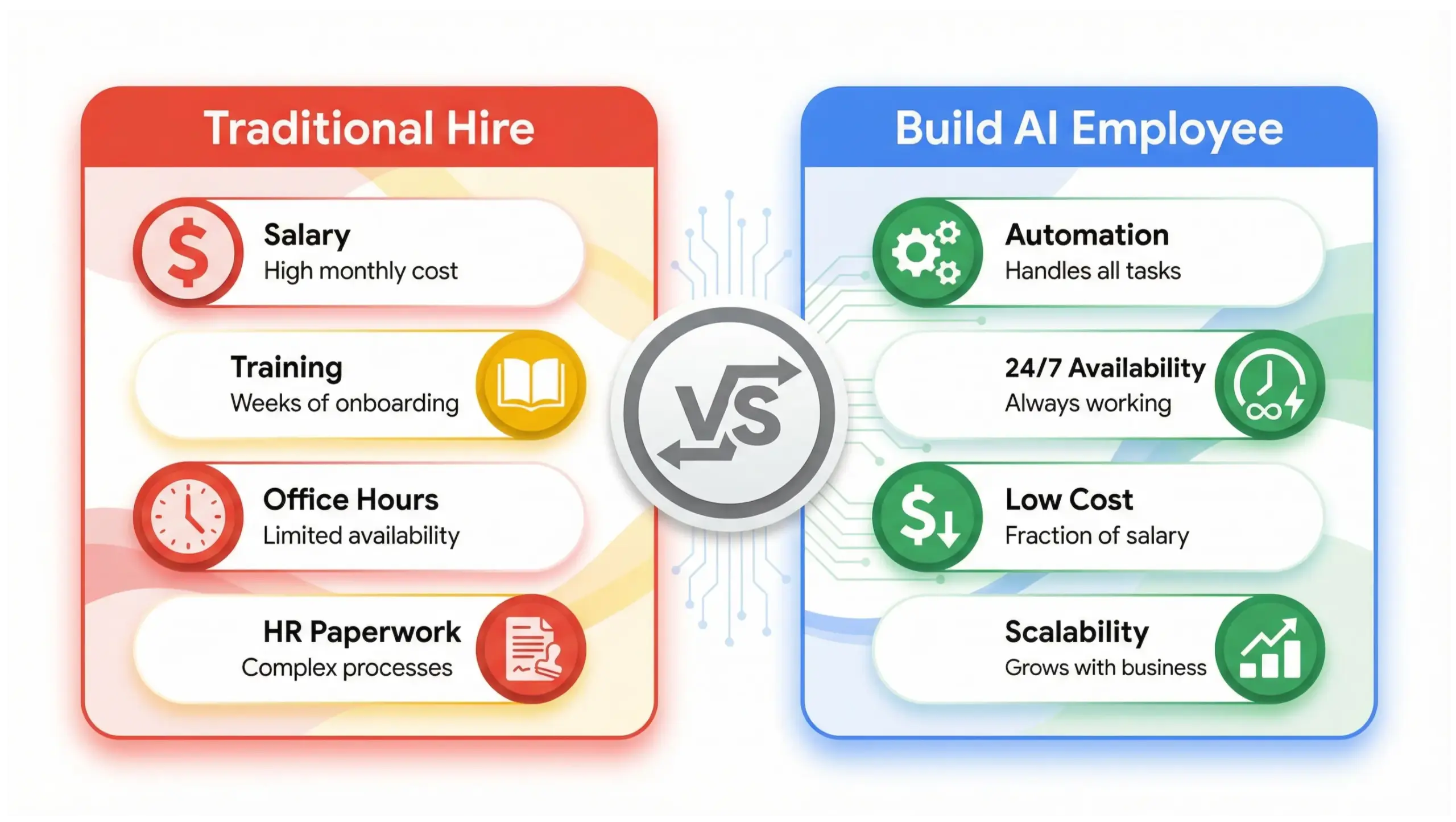
What Tasks Can an AI Employee Handle?
An AI employee can manage repetitive, rules-based, or information-driven tasks.
Common AI Employee Roles
| Role | Responsibilities |
|---|---|
| AI Customer Support Agent | Respond to FAQs, qualify inquiries, book appointments |
| AI Lead Generation Assistant | Capture leads, follow up, nurture prospects |
| AI Content Creator | Generate blogs, social posts, emails |
| AI Operations Coordinator | Automate workflows, data entry, reporting |
| AI Sales Assistant | Send proposals, follow up, track CRM |
| AI Research Analyst | Market research, competitor analysis |
The key principle:
“If the task follows a pattern, AI can handle it.”
Step-by-Step: How to Build Your First AI Employee
Step 1: Define the Role Clearly
Before choosing tools, define the AI employee’s job description.
Answer:
- What exact task is repetitive?
- What output should be produced?
- What systems must it connect to?
- What triggers activate it?
Example:
Role: AI Lead Qualification Assistant Task: Respond to website inquiries, ask 3 qualifying questions, tag in CRM, book call if qualified.
Clarity creates efficiency.
Step 2: Map the Workflow
Every AI employee requires a structured workflow.
Example Flow:
- User submits website form
- AI responds instantly
- AI asks qualifying questions
- AI stores answers in CRM
- AI sends booking link
- AI notifies sales team
Visualize it like a system – not magic.
Step 3: Choose the Right Tools (No Coding Required)
You do not need to be technical.
Core AI Stack (2026 Standard)
| Function | Tool Examples |
|---|---|
| Language Engine | ChatGPT, Claude, Gemini |
| Automation | Zapier, Make.com |
| CRM | HubSpot, GoHighLevel |
| Website Chat | Intercom, Tidio |
| Scheduling | Calendly |
| Knowledge Base | Notion, Airtable |
The AI engine provides intelligence. Automation connects systems. CRM stores data.
Step 4: Write Structured Prompts
Prompts define performance.
Example:
“You are an AI Lead Qualification Assistant for a local web design agency. Your goal is to identify serious prospects. Ask 3 questions: budget, timeline, business type. If budget is above $2,000 and timeline under 60 days, send booking link. Be professional and concise.”
The clearer the instructions, the better the output.
Step 5: Connect the Systems
Using automation tools:
- Trigger: Form submission
- Action: Send data to AI
- AI response: Process & generate reply
- Send email or chat reply
- Store response in CRM
Automation turns intelligence into execution.
Step 6: Test Before Deployment
Run multiple test cases:
- Low budget lead
- High budget lead
- Incomplete form
- Urgent inquiry
Refine prompts and workflow logic.
Optimization is part of the build process.
Step 7: Measure Performance
Track:
- Response time
- Lead qualification rate
- Booking conversion rate
- Customer satisfaction
- Time saved
“If you can’t measure it, you can’t scale it.”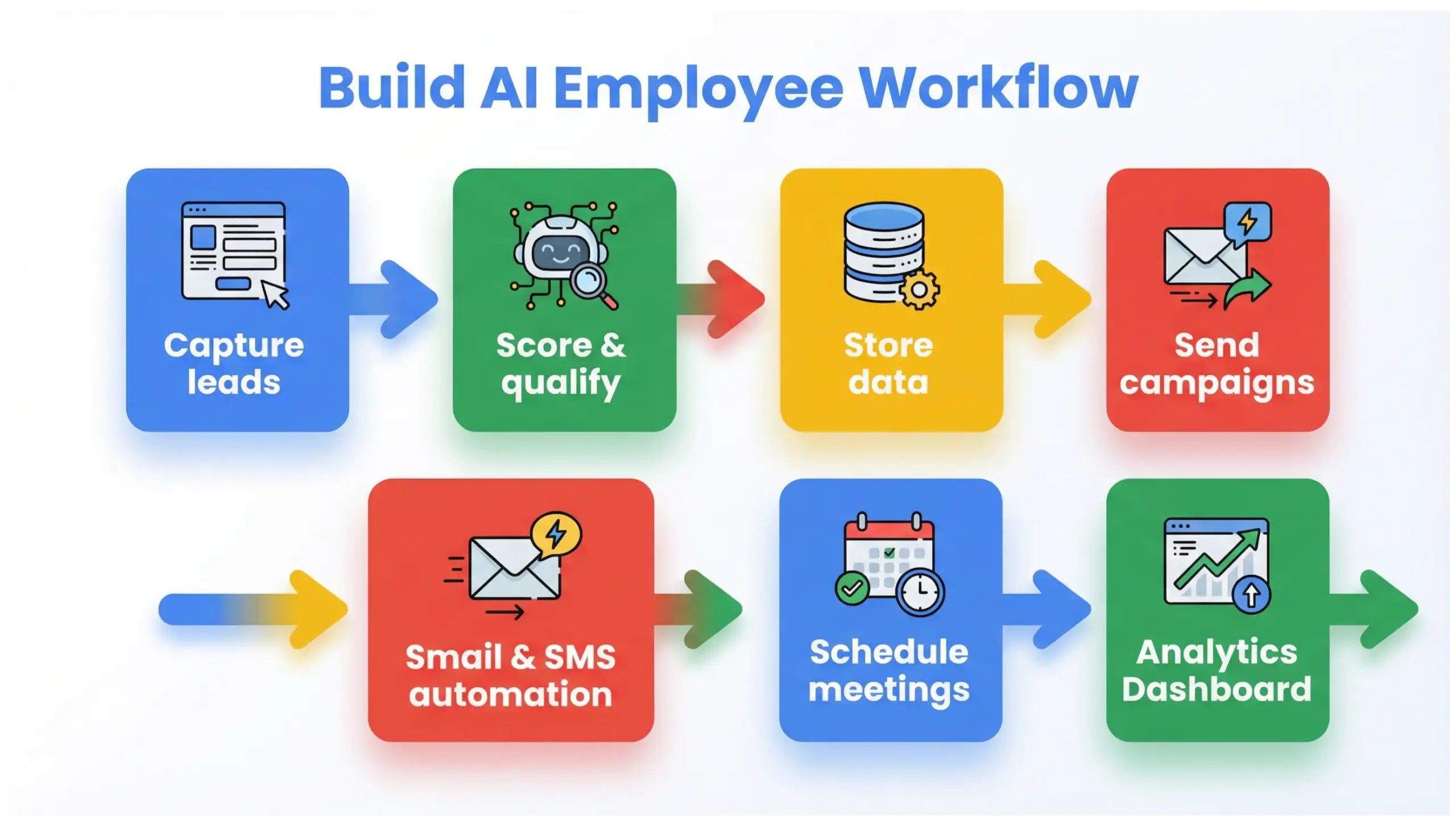
How Much Does It Cost to Build an AI Employee?
Building an AI employee typically costs between $50- $500 per month depending on tool stack and usage volume.
Cost Breakdown Example
| Tool | Estimated Monthly Cost |
|---|---|
| ChatGPT Team | $25–$50 |
| Automation (Zapier/Make) | $20–$100 |
| CRM | $0–$100 |
| Chat widget | $0–$50 |
Compared to hiring:
- Entry-level salary: $35,000+
- Benefits, taxes, overhead
AI employees offer massive ROI for structured tasks.
Is Building an AI Employee Better Than Hiring?
AI employees do not replace strategic human roles. They replace repetitive operational tasks.
Best Use Cases:
- Repetitive admin
- Structured communication
- Data sorting
- Content drafting
- First-response systems
Humans remain essential for:
- Strategy
- Emotional negotiation
- Complex problem solving
- Relationship building
The winning model is hybrid:
“Let humans think. Let AI execute.”
Can Non-Technical Business Owners Build an AI Employee?
Yes – and that’s the shift happening in 2026.
Modern platforms offer:
- Drag-and-drop automation
- No-code builders
- Prebuilt integrations
- AI assistants with memory
You do not need programming knowledge.
You need:
- Clarity
- Process thinking
- Strategic design
Real Business Example
Local Service Provider Scenario:
Problem: Owner manually responds to 30 inquiries daily.
Solution: Built AI Qualification Assistant.
Result:
- 80% automated responses
- 35% faster booking rate
- 10+ hours saved weekly
This is operational leverage.
Advanced Strategy: Building Multiple AI Employees
Once you build one successfully, expand:
- AI Content Employee
- AI Review Request System
- AI Proposal Generator
- AI Reporting Assistant
You’re not building tools. You’re building a digital workforce.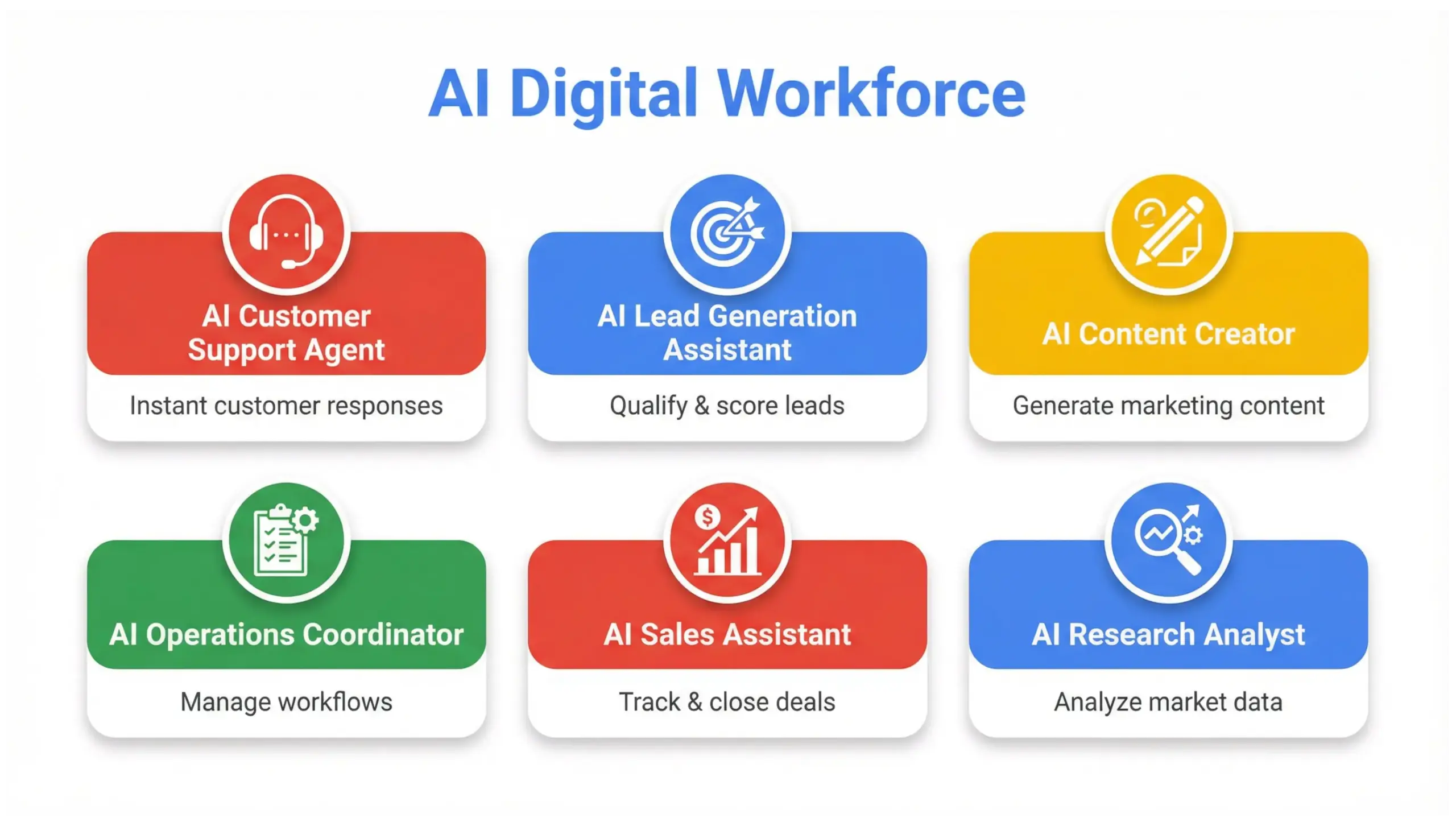
Common Mistakes When Building an AI Employee
- No defined role
- Vague prompts
- No measurement system
- Over-automation
- Ignoring human oversight
- Not documenting workflow
AI amplifies structure – it doesn’t fix chaos.
10 Frequently Asked Questions About Building an AI Employee
1. What is an AI employee in simple terms?
An AI employee is a digital automation system powered by artificial intelligence that performs specific business tasks automatically without requiring human supervision for every action.
2. How long does it take to build an AI employee?
Most small AI employee systems can be built within 3-10 days depending on complexity and tool familiarity.
3. Do I need coding knowledge?
No. Most 2026 platforms are no-code or low-code.
4. How much does it cost monthly?
Between $50- $500 depending on software stack and usage volume.
5. Can AI employees replace staff?
They replace repetitive tasks – not strategic leadership or relationship roles.
6. What tools are required to build one?
AI language model, automation platform, CRM or database, and communication interface.
7. Is data secure?
When using reputable platforms with proper permissions and HTTPS security, data security is strong. Always configure correctly.
8. What tasks should I automate first?
Start with high-frequency, repetitive tasks like first-response inquiries or follow-up emails.
9. How do I measure ROI?
Track time saved, conversion rate increases, cost savings, and operational efficiency.
10. What is the biggest mistake beginners make?
Trying to automate everything at once instead of starting with one clearly defined role.
Final Thoughts: The Future Belongs to Structured Automation
Building your first AI employee is not about chasing trends.
It’s about designing systems that:
- Save time
- Increase consistency
- Scale intelligently
- Improve customer experience
In 2026, competitive advantage is operational clarity.
“The businesses that build systems will outperform the businesses that build stress.”
Start with one role. Build it well. Measure it. Then scale.


