


What Is System Integration and Why Does It Matter for Modern Businesses?
System integration is the strategic process of connecting different software applications, platforms, and data systems so they work together as one unified ecosystem. Instead of operating in silos, integrated systems share data automatically, streamline workflows, and eliminate manual, broken handoffs between teams.
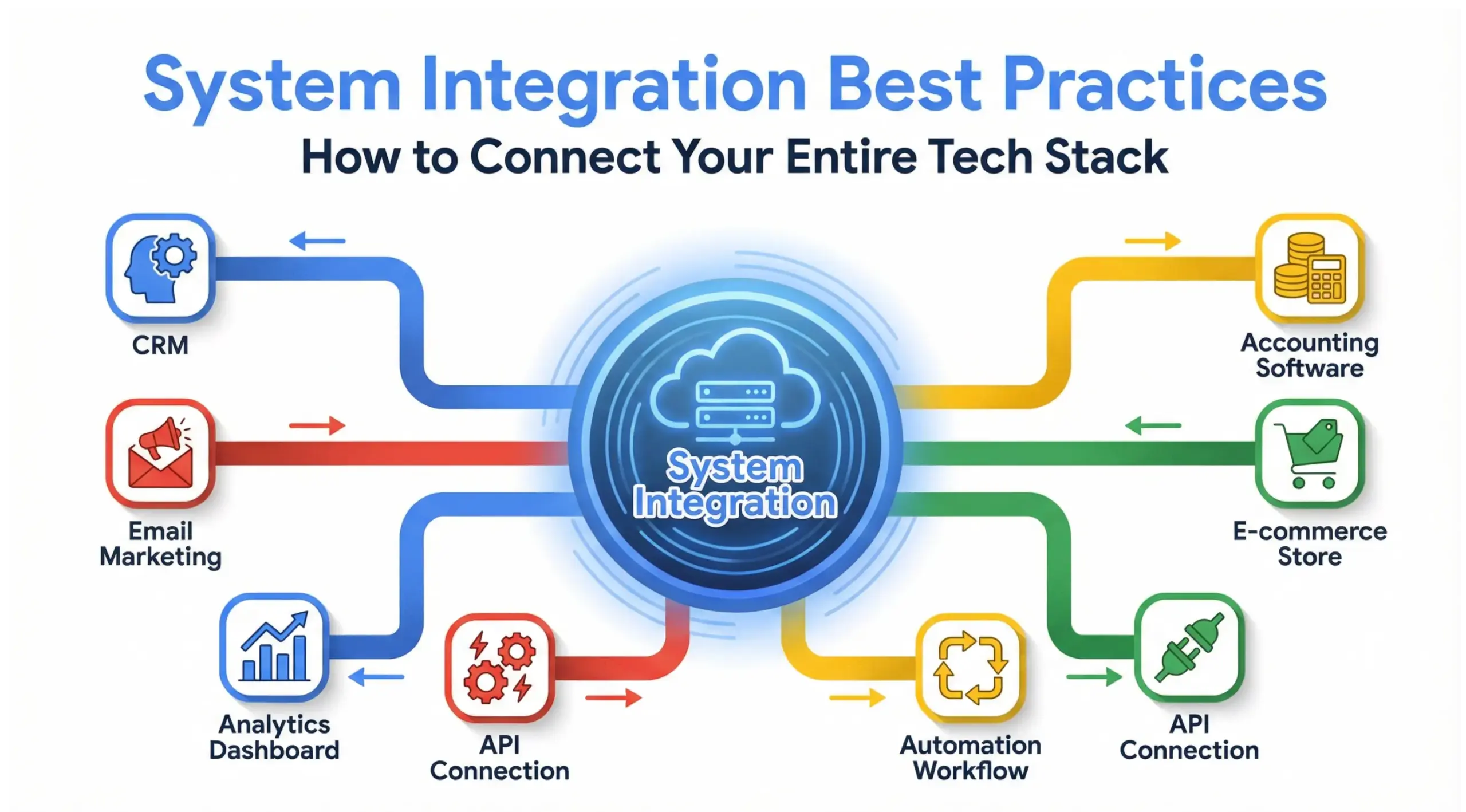
In 2026, system integration is no longer optional. Businesses rely on multiple tools, CRM, accounting software, marketing automation, e-commerce platforms, project management systems, analytics dashboards, and AI systems. When these platforms do not communicate, productivity drops, data becomes unreliable, and growth slows.
A properly integrated tech stack transforms disconnected tools into a performance-driven growth engine.
Quote-ready insight:
“Systems integration turns software from isolated tools into a synchronized growth infrastructure.”
Why Is System Integration Critical for Business Growth?
System integration improves operational efficiency, reduces errors, enhances customer experiences, and enables real-time decision-making. Businesses that integrate their systems operate faster, make smarter decisions, and scale with less friction.
Key Growth Benefits of System Integration
| Benefit | Impact on Business |
|---|---|
| Automated Workflows | Reduces manual labor and saves time |
| Real-Time Data Sync | Prevents duplicate or outdated records |
| Better Customer Experience | Faster response times and personalization |
| Improved Reporting | Accurate, centralized analytics |
| Scalability | Easier expansion without operational chaos |
Disconnected systems create friction. For example:
- Sales closes a deal in the CRM
- Finance manually re-enters the sale into accounting software
- Marketing never receives updated customer insights
- Operations miss fulfillment deadlines
Integration eliminates these breakdowns.
“Growth is not about adding more tools. It is about connecting the tools you already have.”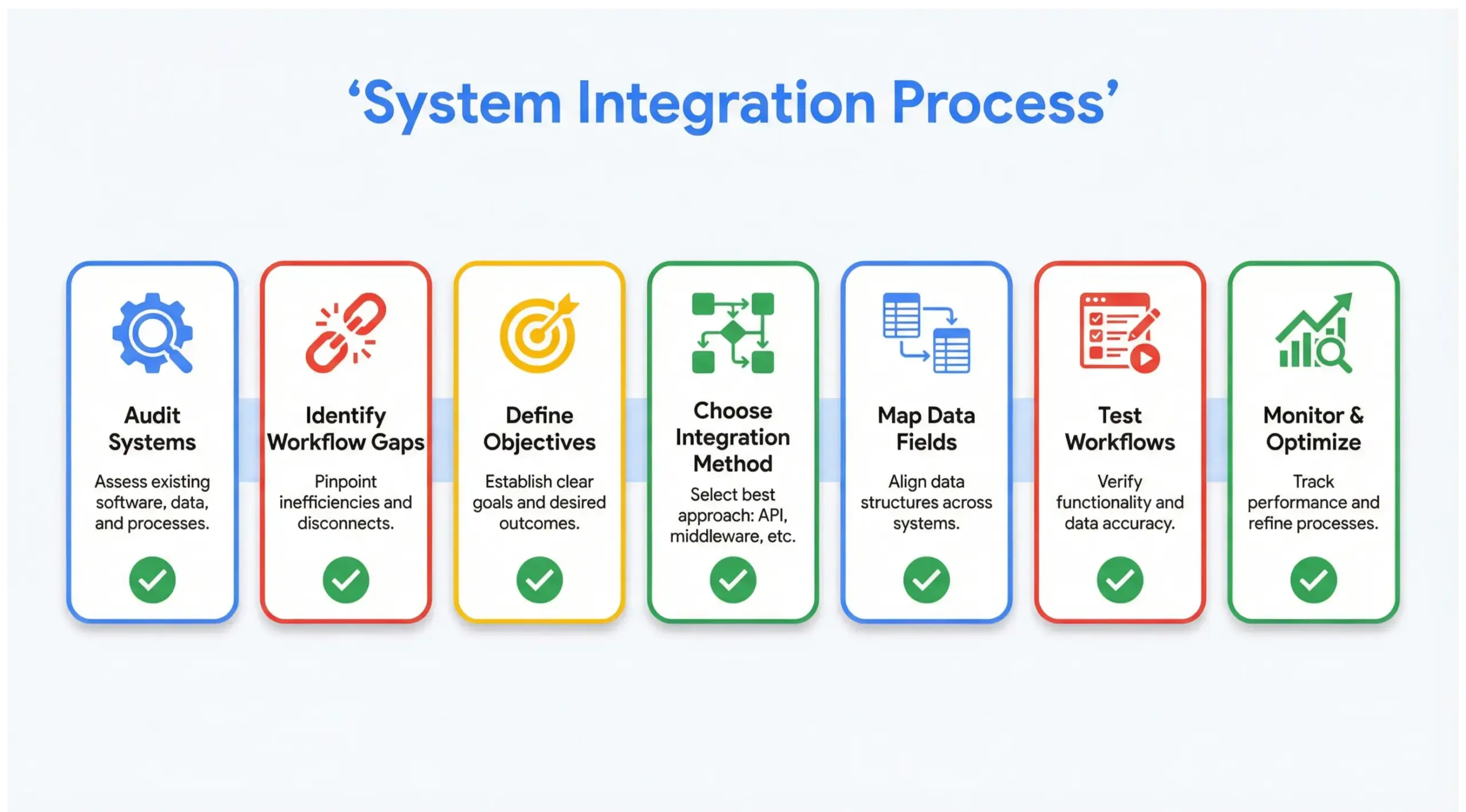
What Are the Core Components of a System Integration Strategy?
A successful system integration strategy combines technical architecture, data flow planning, security protocols, and workflow automation design. It is not just about connecting APIs, it is about designing a unified digital ecosystem.
Core Integration Components
- API Connectivity
- Allows systems to exchange data automatically
- Middleware Platforms
- Tools like Zapier, Make, or enterprise iPaaS platforms
- Data Mapping
- Ensuring fields match correctly across systems
- Security & Compliance
- Protecting sensitive information
- Monitoring & Maintenance
- Ongoing system health checks
Without structured planning, integrations become fragile and break during scaling.
What Are the Most Common System Integration Challenges?
The most common system integration challenges include incompatible software, data inconsistencies, security vulnerabilities, and poor planning. Many companies rush into integration without long-term architecture.
Top Integration Challenges
- Legacy system limitations
- Duplicate or messy data
- Poor API documentation
- Lack of internal expertise
- Over-automation without oversight
“Bad integrations create chaos faster. Good integration creates clarity.”
The solution is strategic planning before execution.
How Do You Integrate Your Entire Tech Stack Step by Step?
Integrating your tech stack requires auditing current systems, defining workflows, mapping data, selecting integration tools, testing thoroughly, and implementing ongoing monitoring.
Step-by-Step System Integration Process
1. Audit Your Existing Systems
Identify all tools:
- CRM
- Email marketing
- Accounting
- E-commerce
- Inventory
- Project management
- Analytics
2. Identify Workflow Gaps
Where does manual data entry occur?
Where do delays happen?
3. Define Integration Objectives
Example:
- Sync leads automatically
- Trigger onboarding emails after purchase
- Update inventory in real-time
4. Choose Integration Method
| Method | Best For |
|---|---|
| Native integrations | Simple SaaS connections |
| API-based custom integration | Advanced needs |
| Middleware (Zapier, Make) | Small-mid businesses |
| Enterprise iPaaS | Large-scale operations |
5. Map Data Fields
Ensure:
- Email fields match
- Customer IDs sync
- Status updates align
6. Test Before Launch
Test every trigger and workflow.
7. Monitor & Optimize
Set alerts for integration failures.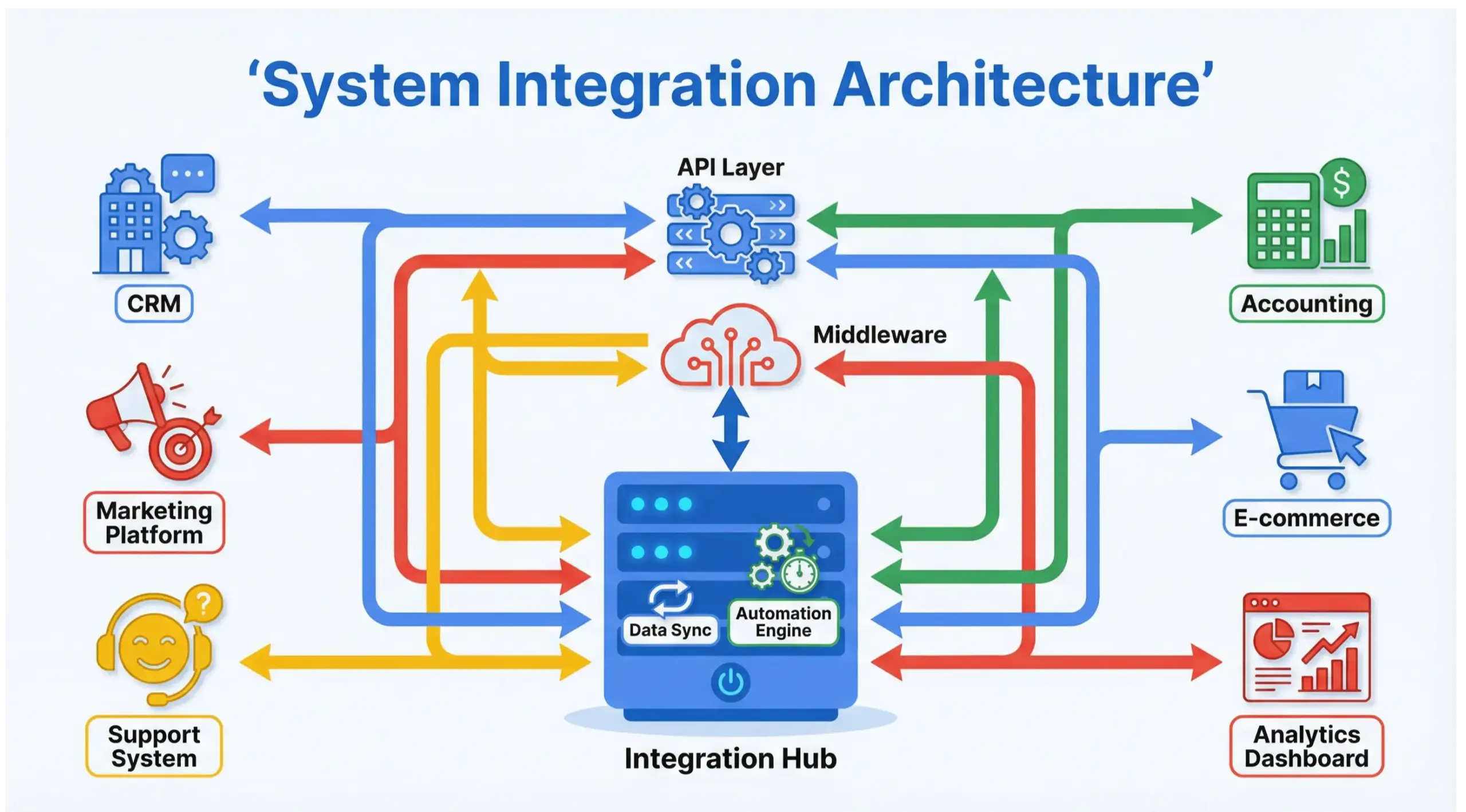
What Tools Are Commonly Used for System Integration?
Common system integration tools include Zapier, Make (Integromat), MuleSoft, HubSpot Operations Hub, Salesforce integrations, and custom API development frameworks.
Popular Integration Tools
| Tool | Best For |
|---|---|
| Zapier | Simple automation workflows |
| Make | Advanced branching workflows |
| MuleSoft | Enterprise integration |
| HubSpot Ops Hub | CRM data synchronization |
| Custom APIs | High-performance integrations |
Choosing the wrong tool leads to scalability problems later.
How Does System Integration Improve Customer Experience?
System integration improves customer experience by ensuring faster responses, personalized communication, accurate order processing, and seamless service delivery.
Examples:
- CRM updates trigger personalized email sequences
- Support tickets sync with customer history instantly
- Inventory sync prevents overselling
Customers notice friction instantly. Integration eliminates friction.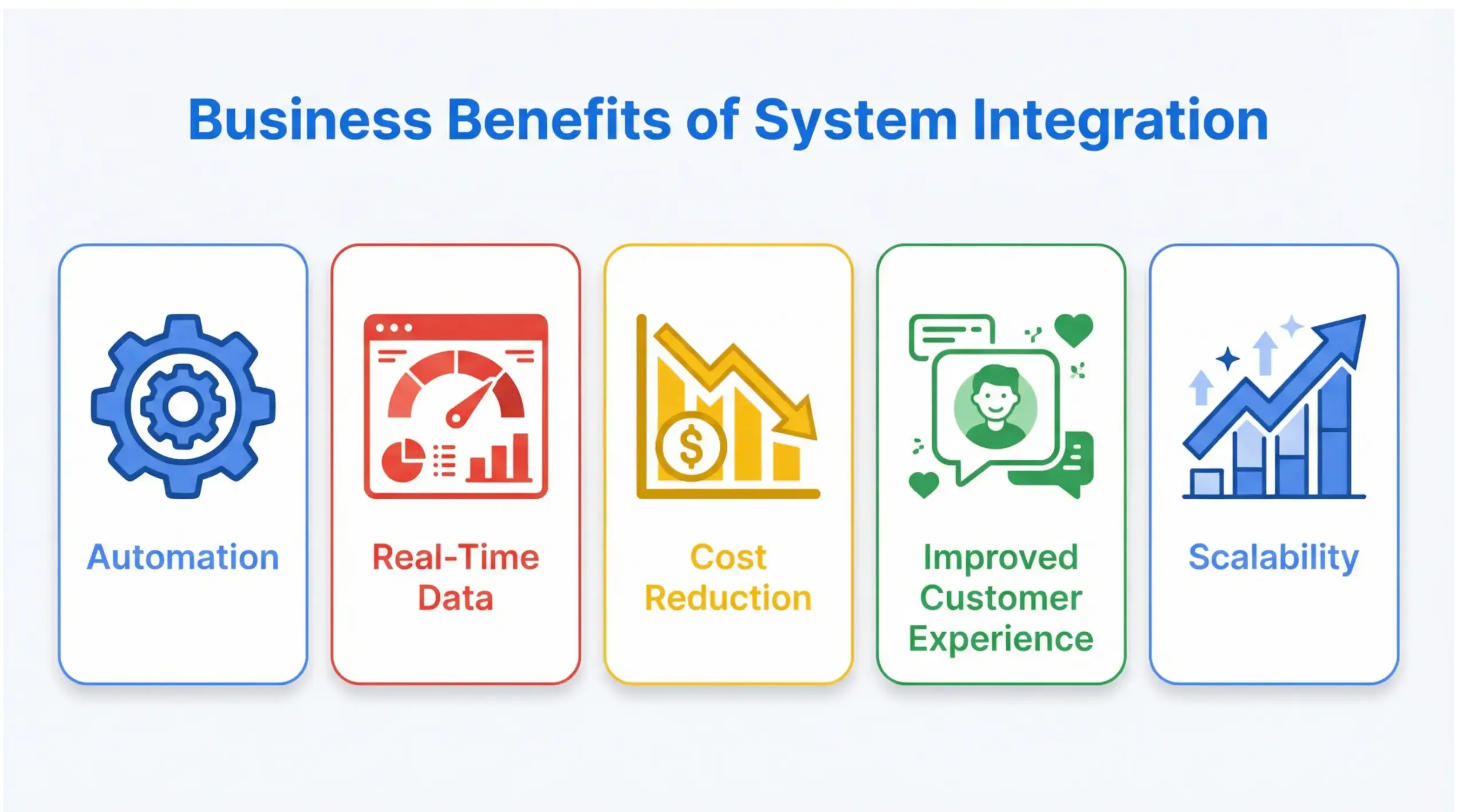
What Is the Difference Between API Integration and System Integration?
API integration is a technical method of connecting software, while system integration is the broader strategy of unifying multiple systems into one cohesive operational framework.
| API Integration | System Integration |
|---|---|
| Technical connection | Strategic architecture |
| Focused on endpoints | Focused on business workflow |
| One connection | Entire ecosystem |
Think of APIs as wires.
System integration is the blueprint.
How Much Does System Integration Cost?
System integration costs vary depending on complexity, ranging from $500 for basic automation setups to $50,000+ for enterprise-level integrations.
Cost Factors
- Number of systems
- Custom API development
- Security requirements
- Ongoing maintenance
- Data migration needs
Investment depends on scale.
“The cost of disconnected systems is often higher than the cost of integration.”
How Does System Integration Support Business Automation?
System integration enables business automation by triggering workflows automatically across platforms without human intervention.
Examples:
- New lead → CRM → Email nurture → Sales notification
- Purchase → Inventory update → Accounting sync → Shipping notification
- Support ticket → CRM update → Manager alert
Automation without integration fails.
Integration makes automation possible.
10 Frequently Asked Questions about System Integration
1. What is system integration in simple terms?
System integration connects different software systems so they work together automatically instead of separately.
2. Why do small businesses need system integration?
Small businesses benefit from automation, fewer errors, better reporting, and improved customer service through integration.
3. Is system integration only for large enterprises?
No. Even startups and local businesses benefit from integrating CRM, email, and accounting systems.
4. What are the risks of poor system integration?
Data loss, duplicate records, workflow breakdowns, security issues, and customer dissatisfaction.
5. How long does system integration take?
Basic integrations can take days; enterprise integrations may take weeks or months.
6. What is middleware in system integration?
Middleware is software that acts as a bridge between different applications, enabling them to communicate.
7. Can system integration improve marketing performance?
Yes. Integration ensures accurate customer data, enabling targeted campaigns and automation.
8. Do integrated systems require maintenance?
Yes. APIs change, software updates occur, and monitoring ensures everything runs smoothly.
9. What industries benefit most from system integration?
Healthcare, e-commerce, finance, SaaS, manufacturing, and service-based businesses.
10. How do I know if my business needs system integration?
If you manually move data between tools or experience delays and errors, you likely need integration.
Conclusion: Building a Scalable Digital Infrastructure
System integration is the foundation of scalable digital growth. It eliminates inefficiencies, aligns teams, improves decision-making, and enhances customer experiences.
In 2026, competitive businesses are not defined by how many tools they use, but by how well those tools communicate.
“When systems connect, businesses accelerate.”
Whether you are a startup building your first tech stack or an established company optimizing operations, system integration transforms disconnected platforms into a unified engine for growth.


